
A mesh communication device is a small radio that exchanges text, location and basic data with other compatible radios nearby. It works without mobile reception or Wi-Fi. Each radio is called a node, and a node can receive a message for itself or pass that message toward another node. That relaying ability is what turns a pair of radios into a wider mesh.
Evidence behind this explainer
We used two Seeed Studio SenseCAP MeshTracker X1 units for a week in the Lake District, across hills, forest and deep valleys with no mobile coverage. That test established how a direct two-node link behaved. The explanation of multi-hop routing draws on official Meshtastic documentation because our two-node setup did not include a relay.
The short version
A mesh device is useful when several people in the same broad area need low-cost off-grid messaging and position sharing. It is not a satellite communicator, mobile phone or personal locator beacon. Unless a node in the mesh has a separate route to the internet or outside help, every message stays within the local radio network.
How a mesh message moves
A typical handheld mesh setup contains two links. A phone connects to its nearby radio over Bluetooth. The radio then uses a long-range, low-power signal to reach another mesh node. Meshtastic devices commonly use LoRa, a radio technology designed to carry small amounts of data over useful distances while drawing little power.
- You write a message in the app. The phone passes the text to the node you are carrying.
- Your node transmits a short radio packet. It does not need a mobile tower, router or satellite to do this.
- Another node receives the packet. If that node is the destination, it alerts its user. If it is acting as a relay, it can rebroadcast the packet toward other nodes.
- The destination node passes the message to its phone. The recipient reads it in the app and can reply through the same process.
The system is store-and-forward rather than a continuous voice call. A message can wait in a queue when no route exists and send after the devices return to range. During our X1 test, queued messages appeared after the two trackers regained contact.
What is inside a mesh communicator
The radio is only one part of the device. Hardware choices determine how easy it is to carry, how long it runs and whether it can report a useful position.
| Component | What it does | What to check |
|---|---|---|
| LoRa radio | Sends and receives the data packets | The model must use a legal frequency for your region |
| Antenna | Couples the radio signal to the air | Internal antennas are tidy; external antenna connections allow more options |
| Processor and firmware | Runs the mesh protocol, routing and security | Look for maintained firmware and an app that supports your phone |
| Bluetooth | Connects a screenless node to a phone | Check whether the device can perform any useful task without the phone |
| GNSS receiver | Calculates position for location sharing | Not every node includes GPS or another satellite-positioning receiver |
| Battery and charging | Keeps the node listening and transmitting | Compare real settings, cold-weather use and charging port, not capacity alone |
| Alerts and controls | Indicate messages and device status | A buzzer or vibration motor helps when the node has no display |
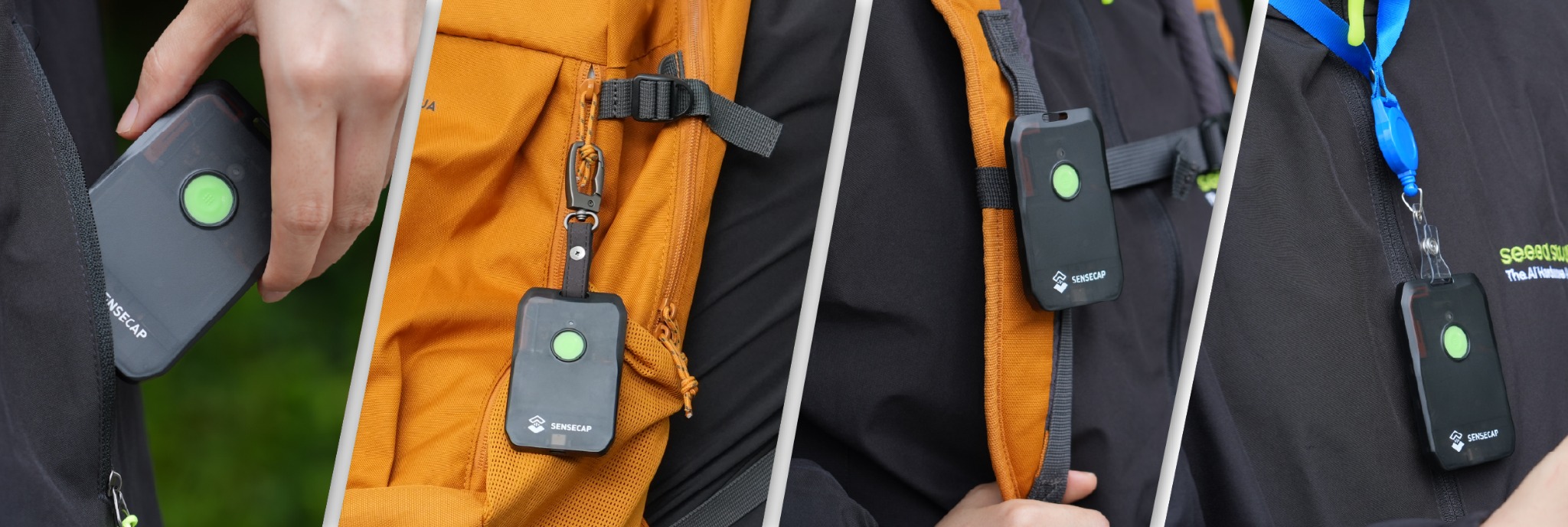
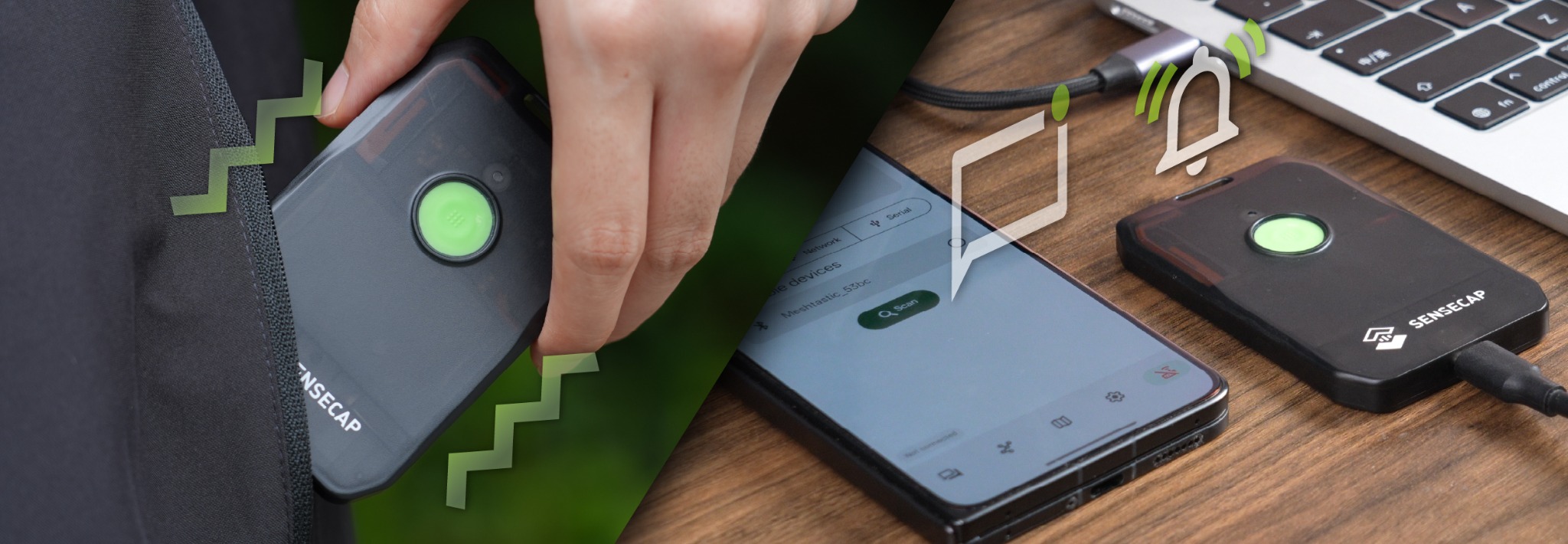
Some units have screens and keyboards. Others are compact radio companions that depend on a phone for reading and writing. The X1 follows the second pattern: one button, an LED, vibration and a buzzer on the tracker, with conversation and settings in the Meshtastic app.
Direct links and multi-hop mesh
Two nodes can communicate directly when each one can hear the other's radio signal. This is still useful, but it is a point-to-point link rather than evidence of a wider relay network. Our X1 results came from this direct setup.
A multi-hop network adds nodes between the sender and recipient. A well-positioned radio on high ground, a building or a vehicle can receive a packet and rebroadcast it. Another node can do the same, allowing a message to travel beyond the sender's direct range. The firmware limits and manages rebroadcasting so one message does not circulate forever.
More nodes do not guarantee better coverage. A relay that is switched off, shielded by a building, placed in the wrong valley or configured for a different channel cannot help. Good node placement matters more than a large number printed on a network map.
What mesh communication devices can do
Short text messaging
Meshtastic supports short messages between individuals or across shared channels. This suits route updates, pickup points, campsite instructions and simple status checks. It is low-bandwidth communication, so it is built for compact text rather than calls, large photographs or video.
Position sharing
A node with GNSS can broadcast its coordinates at set intervals. Other group members can see those positions in the app, provided the packets reach them. The X1's dual-band receiver produced clean tracks under tree cover in our test, with warm starts in seconds and cold starts usually taking one to two minutes.
Basic telemetry and alerts
The network can carry small data packets from supported sensors as well as messages. Individual devices may also vibrate, beep or flash when traffic arrives. These functions make a screenless radio practical on a shoulder strap, where the user can notice an alert and then open the phone.
Private group channels
Groups can use shared channel settings and encryption rather than putting every conversation on an open public channel. Channel details and keys still need careful handling. A private channel controls who can read the traffic; it does not hide the existence of radio transmissions or fix poor signal coverage.
What a mesh device cannot do by itself
A normal mesh node does not acquire internet access merely by joining other nodes. It can only pass traffic through radio paths and services that the network already contains. A separately configured gateway may bridge certain traffic elsewhere, but that is an additional system with its own power, connection and reliability requirements.
Mesh also does not provide guaranteed coverage. The recipient needs a compatible powered node, matching configuration and a radio path that works at that moment. Hills, buildings, wet vegetation, distance and even the way the device is carried can break that path.
Most important, a standard Meshtastic node is not a personal locator beacon and does not include a managed satellite SOS service. Pressing a button or sending an emergency message only helps if another participant receives it and can arrange assistance. For remote travel where outside contact matters, carry a suitable satellite communicator or emergency beacon alongside the mesh.
Realistic range in outdoor terrain
There is no single useful range number for a mesh radio. Frequency, transmit settings, antenna design, height, terrain, vegetation, buildings and interference all influence the link. A clear ridge-to-valley path can outperform a much shorter route through woodland or around a slope.
Our best direct X1 link covered 8 km from a ridgeline to the valley floor. In forest and broken ground, 1 to 2 km was more common. Gaining a few hundred feet of elevation sometimes restored a connection that did not exist in the valley bottom. Carrying a node high on a pack also helped, while a wet pocket and the user's body weakened the signal.
Those figures describe two European 868 MHz X1 units in one landscape, not a promise for every device or route. A group should test its own radios along the actual terrain and mark the places where contact drops. Marketing range belongs behind that field evidence, not in front of it.
Mesh, walkie-talkie and satellite compared
| System | Best at | Main dependency | Key limit |
|---|---|---|---|
| Mesh communicator | Local text, positions and small data packets across compatible nodes | Powered nodes, shared settings and a usable radio route | No built-in route to emergency services or distant contacts |
| Walkie-talkie | Immediate live voice within local radio range | Compatible radios on the same channel | Normally no message history, mapping or automatic position sharing |
| Satellite communicator | Messaging beyond the local group, tracking and supported SOS | Satellite service, active plan, charge and usable sky | Higher hardware and ongoing service cost |
A walkie-talkie is usually quicker for live instructions. A mesh device is quieter, records the message and can attach a position. A satellite communicator reaches people who are nowhere near the local radio network. The right system follows the destination of the message, not the amount of technology inside the device.
Where mesh communication works well
- Walking, skiing and cycling groups: subgroups can exchange junction choices, delays and meeting points where mobile coverage is patchy.
- Campsites and outdoor events: organisers can pass short operational updates across a defined area without buying a service plan for every person.
- Vehicle convoys: each vehicle can share text and position data while moving through areas without reliable phone service.
- Off-grid properties: fixed or portable nodes can carry basic messages and sensor data between buildings.
- Field teams: staff can coordinate locally when voice traffic would be disruptive or when a written message is easier to verify.
The common feature is a known group operating within a limited area. Mesh becomes less suitable when the sender needs to contact a distant person who does not carry compatible equipment.
Choosing a mesh device
Start with the regional radio version. A device sold for one frequency plan may be unsuitable or unlawful to transmit on elsewhere. Buy the version intended for the country where it will be used, then configure the matching Meshtastic region.
After that, choose around the job. A sealed, lightweight unit with internal antennas works well for people who want a finished outdoor device. A node with an external antenna connector offers more placement options for a vehicle, building or fixed relay. GNSS matters for live positions; a screen matters if the radio must remain useful without a phone.
Battery claims need context. The X1's 1100 mAh battery lasted four to five days with Bluetooth connected and position updates every 15 minutes. Colder mornings brought the projection down to roughly three and a half to four days, while more frequent updates used power faster. The tracker recharged over USB-C in about two hours.
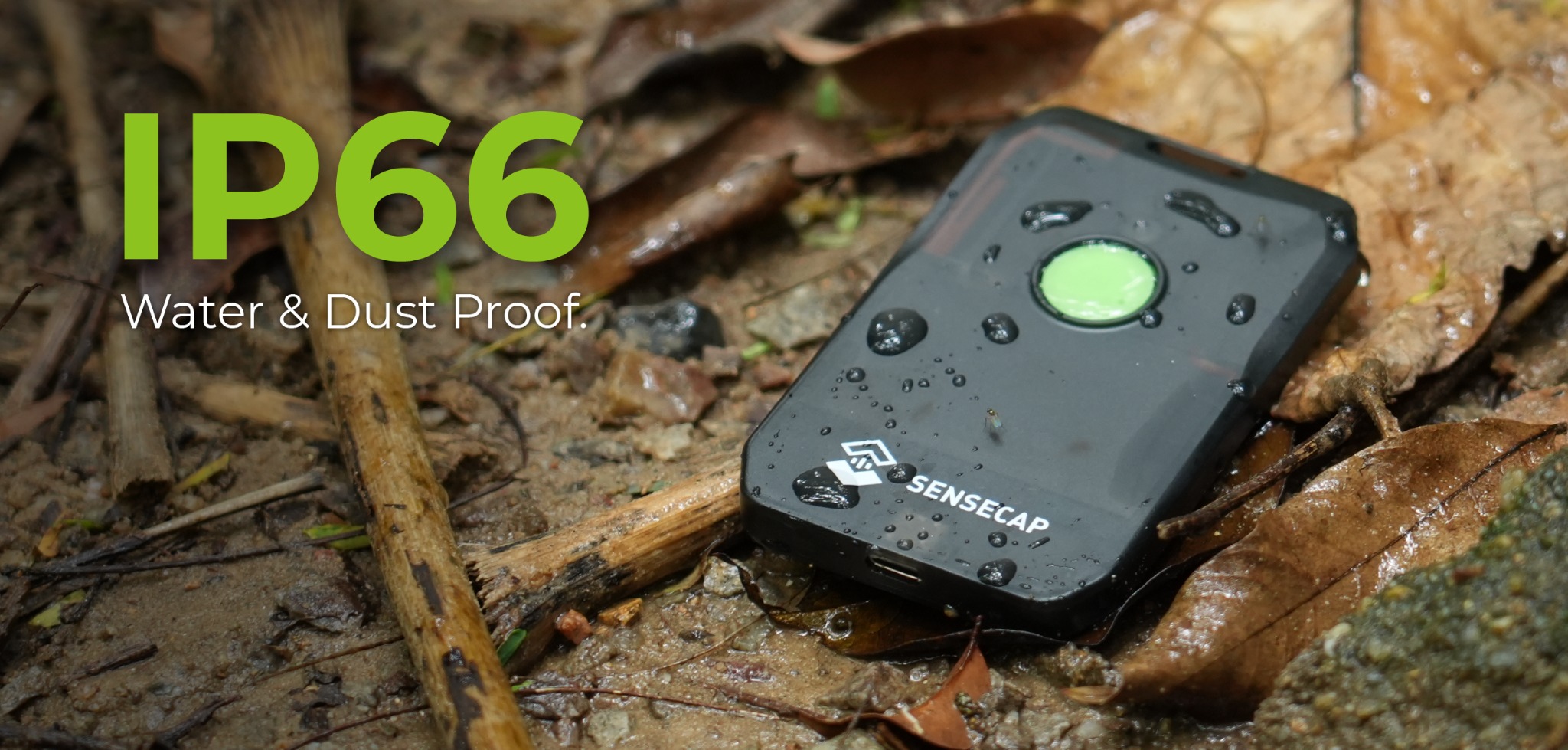
Weather protection and controls deserve equal attention. The X1's IP66 enclosure survived sustained rain, mud and a four-foot drop onto rock during the test. IP66 covers strong water jets and dust ingress, not immersion. A device used around water needs a rating and carry method suited to that exposure.
Setting up a small group
- Confirm the hardware region. Every device must use the correct legal frequency and compatible radio settings.
- Install current firmware and the official app. Update and charge every node before the trip, when internet access and cables are available.
- Create the group channel. Share the required settings or QR code in person and keep private channel information within the group.
- Name each node clearly. Use names that identify a person, vehicle or role when a position or alert appears.
- Set a sensible position interval. Frequent updates improve detail but consume battery and add radio traffic.
- Walk a realistic test route. Check valleys, buildings, forest and likely separation points rather than testing across an open car park.
- Agree how to acknowledge messages. A sent message is not the same as confirmed contact. Decide what the group does after a missed check-in.
- Plan the failure. Set meeting points, turnaround times and an outside-contact method before relying on the radios.
On the X1, first setup took less than five minutes and Bluetooth remained stable throughout the week. The easy pairing did not remove the need to test radio coverage. App connection and long-range node connection are separate links, and either one can fail.
The SenseCAP X1 as a field example
The Seeed Studio SenseCAP MeshTracker X1 is a finished Meshtastic node rather than a bare development board. It measures 90 × 57 × 8 mm, weighs 45 g and includes internal LoRa, Bluetooth and GNSS antennas. There is no screen or keyboard, so a paired phone is required to read and write messages.
Adam bought two European 868 MHz units for $49 each plus import duty. Their strongest result was the 8 km direct link described above, while routine forest and broken-terrain range sat closer to 1 to 2 km. Message alerts, clean GNSS tracks and four-to-five-day battery life made the trackers useful group tools. Internal antennas limit experimentation, and the phone requirement means every user must also manage phone power and weather protection.
Read the full SenseCAP MeshTracker X1 field review for setup, range, location accuracy, battery, durability and the test limitations.
A mesh is part of the plan, not the rescue plan
Mesh communication can solve a common outdoor problem: keeping known people connected after mobile reception disappears. It can reduce unnecessary searching, make regrouping easier and show where another node last reported. Those are meaningful benefits.
Its limits need the same prominence. A hill can block the link. A phone or node can run flat. A channel can be configured incorrectly. A message can remain queued while the sender assumes somebody has read it. None of those failures automatically reaches a rescue service.
For remote routes, combine mesh with navigation, agreed check-ins, meeting points, an itinerary left with a reliable contact and a suitable way to summon outside assistance. Mesh handles local coordination. Satellite messaging, a personal locator beacon or another appropriate emergency system handles the route beyond the group.
Related field test and guide
Continue with the tested hardware
Sources and context
Technical references
The general network explanation uses the official Meshtastic documentation and Semtech's explanation of LoRa. Product observations and all measured results come from our two-unit SenseCAP X1 field test. LoRa is the underlying radio technology in this example; Meshtastic supplies the mesh protocol and user-facing software.

Editorial disclosure: Adam bought both SenseCAP trackers with his own money. Seeed Studio had no involvement in the review or this explainer.